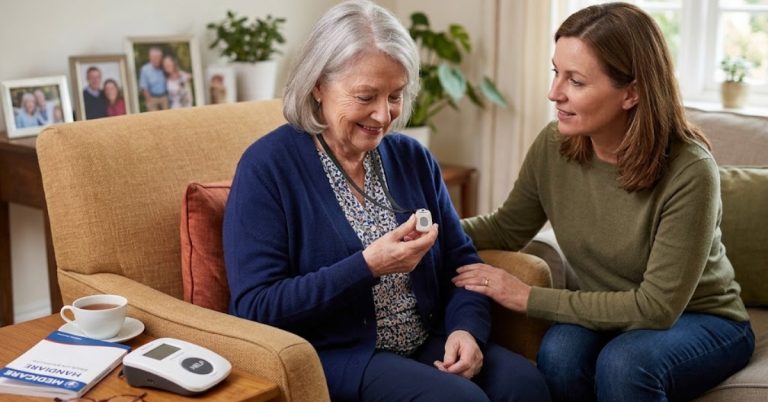
In an increasingly connected world, technology offers innovative solutions to enhance our safety and well-being. For seniors and individuals with health concerns, the Apple Watch has emerged as a powerful tool, extending beyond its traditional fitness and communication features to serve as a potential medical alert system.
Specifically, the Apple Watch Fall Detection feature can provide a crucial layer of security by automatically alerting emergency services and designated contacts in the event of a hard fall. This comprehensive guide will delve into how to set up and effectively utilize your Apple Watch as a medical alert system, exploring the nuances of both cellular and non-cellular models to help you make an informed decision.

Understanding Apple Watch Fall Detection
Apple Watch Fall Detection is a feature designed to recognize when a user experiences a hard fall. Available on Apple Watch SE, Apple Watch Series 4 and later, and Apple Watch Ultra and later, this technology leverages advanced algorithms and sensors, including the accelerometer and gyroscope, to analyze wrist trajectory and impact acceleration. When a significant fall is detected, the watch initiates a series of actions to ensure the user’s safety.
How Fall Detection Works
Upon detecting a hard fall, your Apple Watch will tap your wrist, sound a loud alarm, and display an alert on its screen. At this point, you have several options:
- Contact Emergency Services
- You can choose to immediately call emergency services by sliding the “emergency call” slider.
- Dismiss the Alert
- If you are okay and do not need assistance, you can dismiss the alert by pressing the Digital Crown, tapping ‘Close’ in the upper-left corner, or tapping ‘I’m OK.’

If your Apple Watch detects that you are moving after a fall, it will wait for your response and will not automatically call emergency services. However, if the watch detects that you have been immobile for approximately one minute, it will automatically initiate a call to emergency services.
After the call concludes, your watch will send a message to your designated emergency contacts, informing them of the detected hard fall and your location. It’s important to note that emergency services cannot be set as an emergency contact within your Medical ID.
Medical ID and Emergency Contacts
Your Medical ID is a crucial component of using your Apple Watch as a medical alert system. It contains vital personal health information, such as allergies, medical conditions, and emergency contacts. This information can be accessed by first responders directly from your Apple Watch’s lock screen, even without unlocking the device.
To set up your Medical ID on your iPhone:
- Open the Health App.
- Tap your profile picture in the upper-right corner.
- Under ‘Features,’ tap ‘Medical ID’.
- Tap ‘Edit’ in the upper-right corner.
- Enter your health information and emergency contacts. Make sure ‘Show When Locked’ is enabled to allow access in emergencies.
- Tap ‘Done’ to save your changes.

On your Apple Watch, you can view your Medical ID by pressing and holding the side button until the sliders appear, then sliding the ‘Medical ID’ slider to the right. You can also access it via the Settings app on your Apple Watch by going to SOS > Medical ID.
Cellular vs. Non-Cellular Apple Watch for Medical Alerts
The functionality of Apple Watch Fall Detection as a medical alert system differs significantly between cellular and non-cellular (GPS-only) models. Understanding these differences is crucial for choosing the right device for your needs.
Non-Cellular (GPS-Only) Apple Watch
A GPS-only Apple Watch relies on its paired iPhone for most of its connectivity, including making calls and sending messages. For Fall Detection to work as a medical alert system on a non-cellular model, the Apple Watch must be connected to your iPhone via Bluetooth, and your iPhone must have cellular service or a Wi-Fi connection.
If a fall is detected and you are immobile, the watch will attempt to use your iPhone’s connection to call emergency services and notify your emergency contacts. This means that if you fall and your iPhone is not nearby (e.g., in another room or you’ve left it at home), the watch cannot automatically contact help.
Cellular Apple Watch
A cellular Apple Watch has its own independent cellular connection, allowing it to make calls, send messages, and use data even when your iPhone is not nearby. This is a significant advantage for a medical alert system.
If a fall is detected and you are immobile, a cellular Apple Watch can directly contact emergency services and your emergency contacts, even if your iPhone is not nearby. This provides a greater sense of security and independence, especially for individuals who may not always carry their iPhone, whether at home or in public.

Limitations and Considerations
While the Apple Watch offers impressive capabilities for fall detection and emergency alerting, it’s important to understand its limitations and consider it as a supplementary (or interim) tool rather than a complete replacement for traditional medical alert systems.
- Not a Medical Device: Apple Watch is not a medical device and should not be considered a substitute for professional medical advice or traditional medical alert systems, especially for individuals with severe medical conditions or those who require constant monitoring
- Accuracy of Fall Detection: While generally reliable, Apple Watch Fall Detection may not detect all falls (none of the fall detection capabilities of traditional medical alert systems do either). It is generally designed to detect hard falls and may not register gradual slips or falls from a seated position. Conversely, high-impact activities might sometimes trigger false alerts.
- Battery Life: The battery life of an Apple Watch, especially when using cellular features, can be a limiting factor. For continuous protection, the watch needs to be charged regularly, which might be inconvenient for some users.
- Cellular Subscription Costs: An Apple Watch with cellular requires a separate mobile plan, which can increase the overall cost. This ongoing expense should be factored into the decision-making process. If you’re already on the Verizon network, you can add a cellular plan for Apple Watch for an additional $10 per month.
- No 24/7 Monitoring Center: Unlike traditional medical alert systems that often connect to a 24/7 monitoring center staffed by trained professionals, the Apple Watch will directly contact emergency services (or your designated emergency contacts) if it detects a fall or other emergency.
- This means there isn’t an intermediary to assess the situation or provide immediate assistance if communication is challenging. The considerable value-add for traditional medical alert providers is that they offer this extra layer of security and informed decision-making for the user and their family.
VIDEO: How to Choose a Medical Alert System
Conclusion
The Apple Watch, with its Apple Watch Fall Detection feature, offers a convenient option for individuals seeking a layer of safety and independence for their aging loved one. Its ability to automatically detect hard falls and initiate emergency calls, especially when a cellular connection is available, can provide significant peace of mind for both users and their families.
However, it is crucial to understand that while powerful, the Apple Watch is not a dedicated medical device and has certain limitations compared to traditional dedicated medical alert systems. By carefully considering your individual needs, connectivity requirements, and the nuances of Apple Watch features, you can effectively leverage the Apple Watch to enhance your personal safety and well-being.
Chris is a seasoned healthcare executive with decades of experience and the co-founder of AgingToday.com. Chris is an expert in digital transformation, health technology and artificial intelligence. He's currently focusing on how these innovations can be leveraged to improve the lives of aging adults.